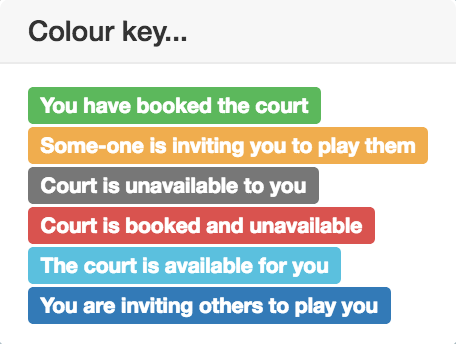
What do the colours mean in the Booking centre? Dominic Thwaites February 11, 2018 12:26 Click on the colour key button top right in Booking centre. This is what you'll see: Related articles Tournaments, Leagues & events - an introduction Can I get a summary of all my bookings? Applying product changes General club options How will I know when I need to top up my balance? Comments 0 comments Please sign in to leave a comment.

Comments
0 comments
Please sign in to leave a comment.