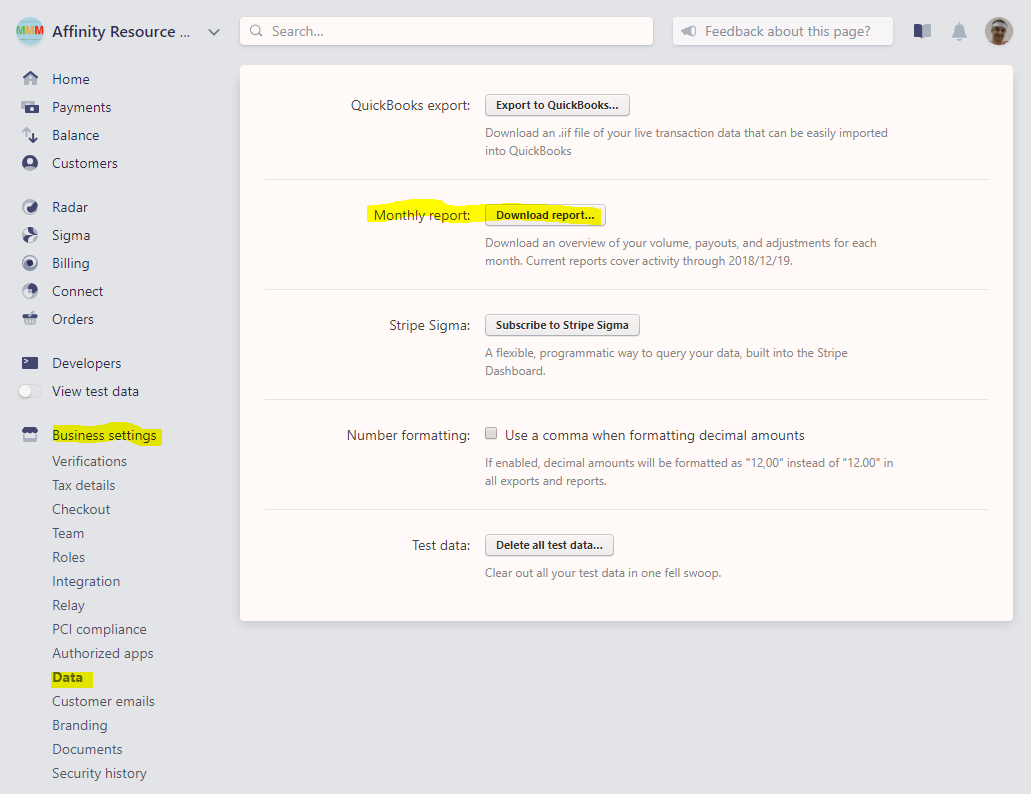
- Download the monthly report from Stripe. Go to Stripe, click Business Settings > Data > Monthly Report and click “Download report…”.
- Open the downloaded CSV file. The Monthly Activity Summary -> Payments (cards) -> Fees cell shows the total fees paid including MMM and Stripe for the month.

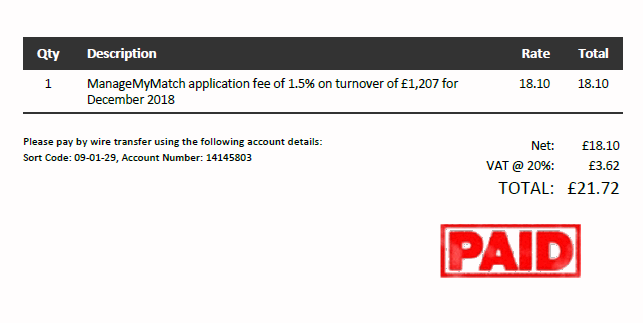
- From the MMM fee statement, you will see what portion of the total fees for the month is attributable to MMM. The remainder being Stripe processing fees.
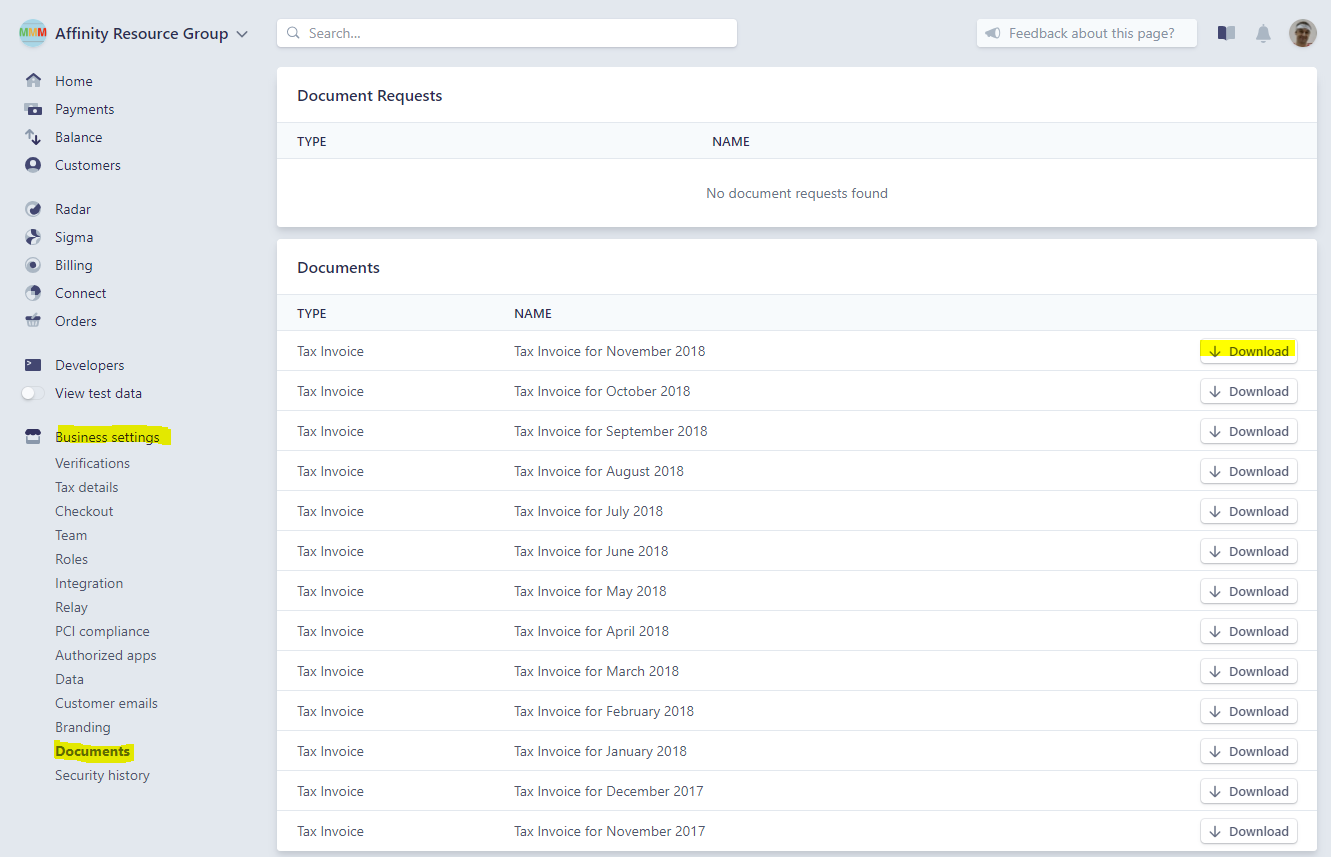
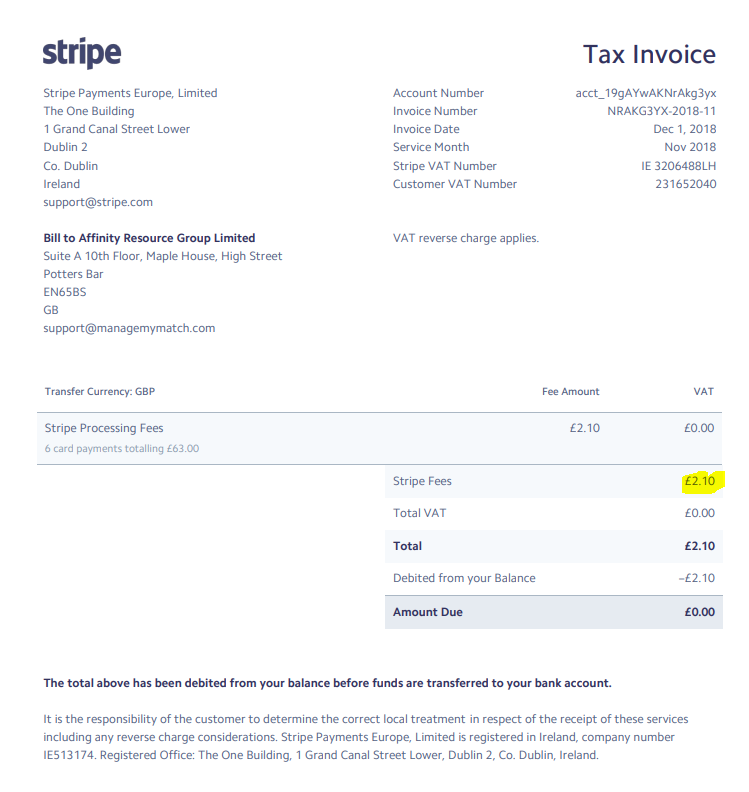
- NB. Stripe processing fees can be seen on a report from Stripe. Go to Business Settings -> Documents -> Tax Invoice for the relevant month.
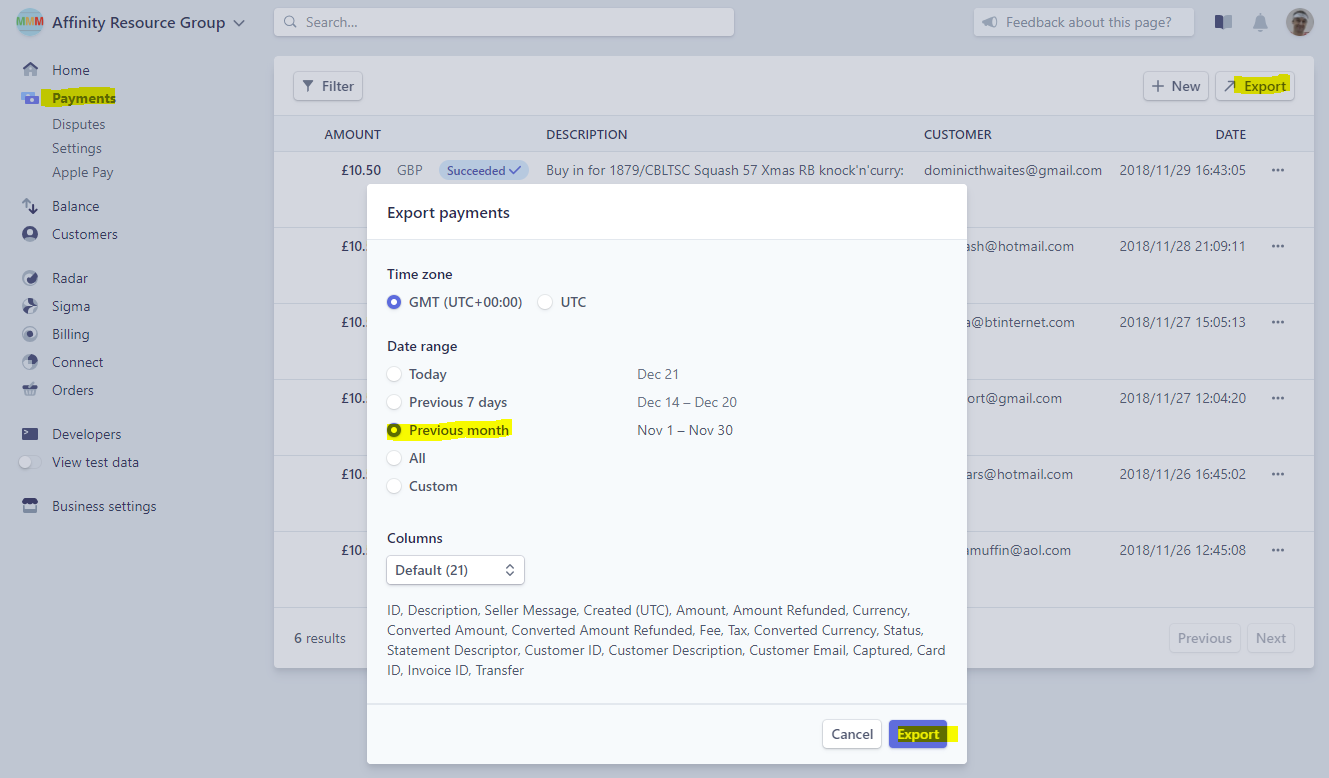
- NB. To see a breakdown of fees by member payment you can access a report Payments -> Export -> Previous Month (or custom date range).
How do I reconcile the ManageMyMatch fee statement with Stripe?

Comments
0 comments
Please sign in to leave a comment.