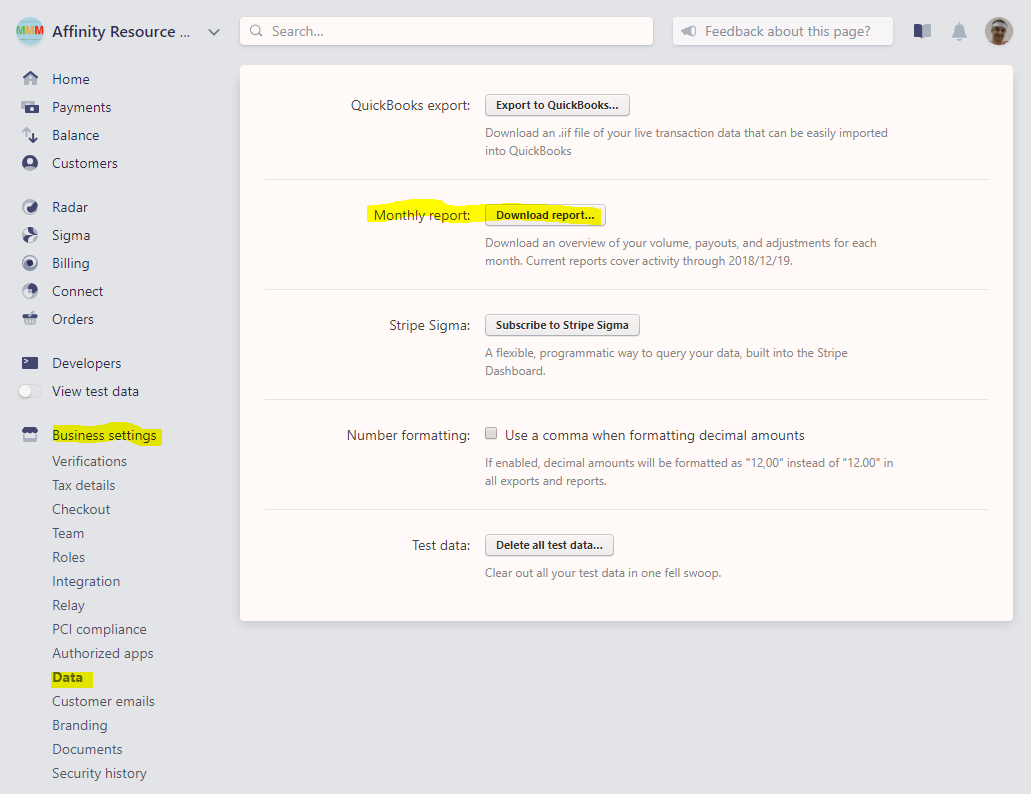
- Download the monthly report from Stripe. Go to Stripe, click Business Settings > Data > Monthly Report and click “Download report…”.
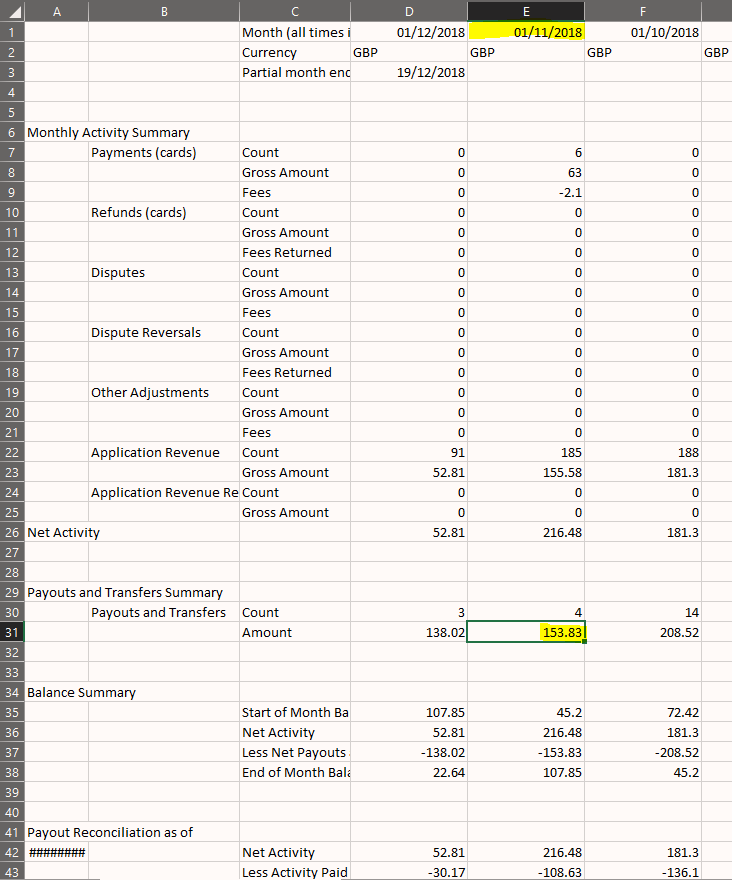
- In the downloaded CSV file locate your total payouts to your bank account for the given month. Look in the Payouts and Transfers Summary > Payouts and Transfers > Amount > view appropriate month column.
- You can access a breakdown of the actual payments made to your bank account via a report from Stripe. Go to Balance -> Payouts -> Export -> Previous Month (or custom date range).
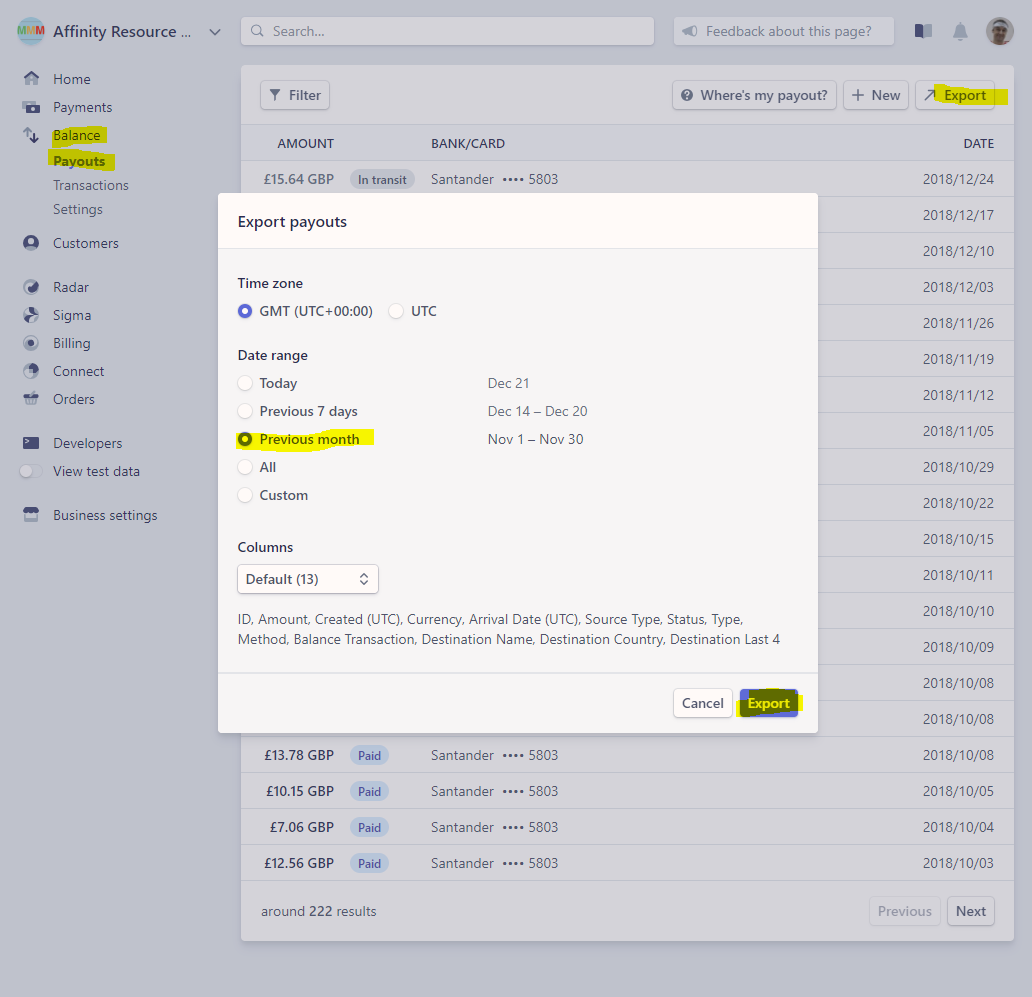
- The downloaded report will contain every payout to your bank account. The total in this report will match the total payouts value from step 2.

How do I reconcile Month End financials between Stripe and our bank account?

Comments
0 comments
Please sign in to leave a comment.